3 Powerful AI Workflows That Will Transform Your Business Overnight
Some of the links on this website are affiliate links, meaning we may receive a commission if you choose to make a purchase. Please review our Affiliate Disclosure for more information.
(No Code, No Tech Team Required).
AI workflows aren’t the future — they’re already transforming how smart businesses save time, reduce costs, and boost productivity. But if you’re not a tech expert, where do you even begin?
At AIdrivesBiz, we’re on a mission to make AI practical and actionable for small business owners, solopreneurs, and digital teams. In this post, we’re sharing 3 plug-and-play AI workflows that are already helping our clients save hours every week — and you can use them too.
Let’s dive in. 🚀
1. 🧾 Auto-Send Invoices After Purchase
Use case: Automate client invoicing and follow-up
Tools: Stripe + Xero + Make.com
The Problem
You’re manually creating invoices every time someone buys your product or service. It’s repetitive, error-prone, and slows your cash flow.
The AI Workflow
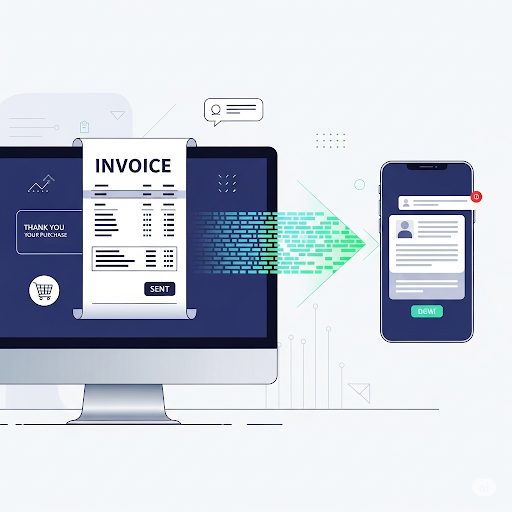
When a new payment is received in Stripe, Make.com automatically:
- Creates a corresponding invoice in Xero
- Sends it to the customer with a personalised email
- Updates your spreadsheet or CRM
The Result
✅ Zero manual input
✅ Accurate records
✅ More time for what matters
💡 Bonus: Add a Slack or email notification to alert you when a payment is received.
2. 🧠 Turn Meeting Notes into Blog Posts

Use case: Repurpose internal ideas into marketing content
Tools: Notion AI + ChatGPT + Systeme.io
The Problem
You’re discussing great ideas in team meetings — but they rarely become shareable content. Why let all that insight go to waste?
The AI Workflow
- Take raw notes in Notion during or after your meeting
- Use Notion AI or ChatGPT to summarize and draft a blog outline
- Drop the draft into Systeme.io’s blog editor for formatting and publishing
The Result
✅ Thought leadership with minimal effort
✅ Faster content creation
✅ Consistent SEO visibility
🎯 Try this with sales calls, webinars, or even client onboarding sessions.
3. 🧑💼 Auto-Respond to Common Support Emails

Use case: Reduce repetitive email replies
Tools: Gmail + ChatGPT API + Make.com
The Problem
You’re replying to the same 5–10 questions every week — refunds, access issues, how-to requests, etc.
The AI Workflow
- When a new email hits your Gmail inbox, Make.com checks if it matches a set of trigger phrases
- If it does, it sends the query to the ChatGPT API with a prompt like:
“Reply to this email as a helpful assistant in a professional tone.” - The AI-generated response is then sent to the user (with the option for you to review first, if needed)
The Result
✅ Save hours on repetitive replies
✅ Maintain quality and tone
✅ Delight customers with fast responses
⚙️ Add an exception list for high-priority clients or complex issues.
Why These Workflows Work
These aren’t theoretical. They’re based on real business needs: saving time, staying organised, and creating value. They don’t require coding knowledge, developer support, or big budgets — just smart implementation and the right tools.
The Bottom Line:
You don’t need to wait until you “understand AI” — just start small, with workflows like these. The time saved adds up, and your business will thank you.
Start With the Tools We Recommend
All of the above workflows are powered by our go-to stack:
✅ Make.com: The glue between all your apps
✅ Systeme.io: The all-in-one sales and content platform
✅ Deepbrain.AI: Generate realistic AI videos to scale content creation
💡 Want More Ideas Like This?
Download our free “AI Admin Automation Toolkit” — curated for productivity, marketing, operations, and admin.
📥 Get the Toolkit Here